Suna Studio is a prompt-first AI music workspace built with React and TypeScript.
It renders through Suna AI’s public Space, then hands you a real MP3, a WAV master,
and the lyrics it sang.
Bundled preview · No install · Renders through Suna AI’s public Space
Real Suna render
Session-only library
Open-source template
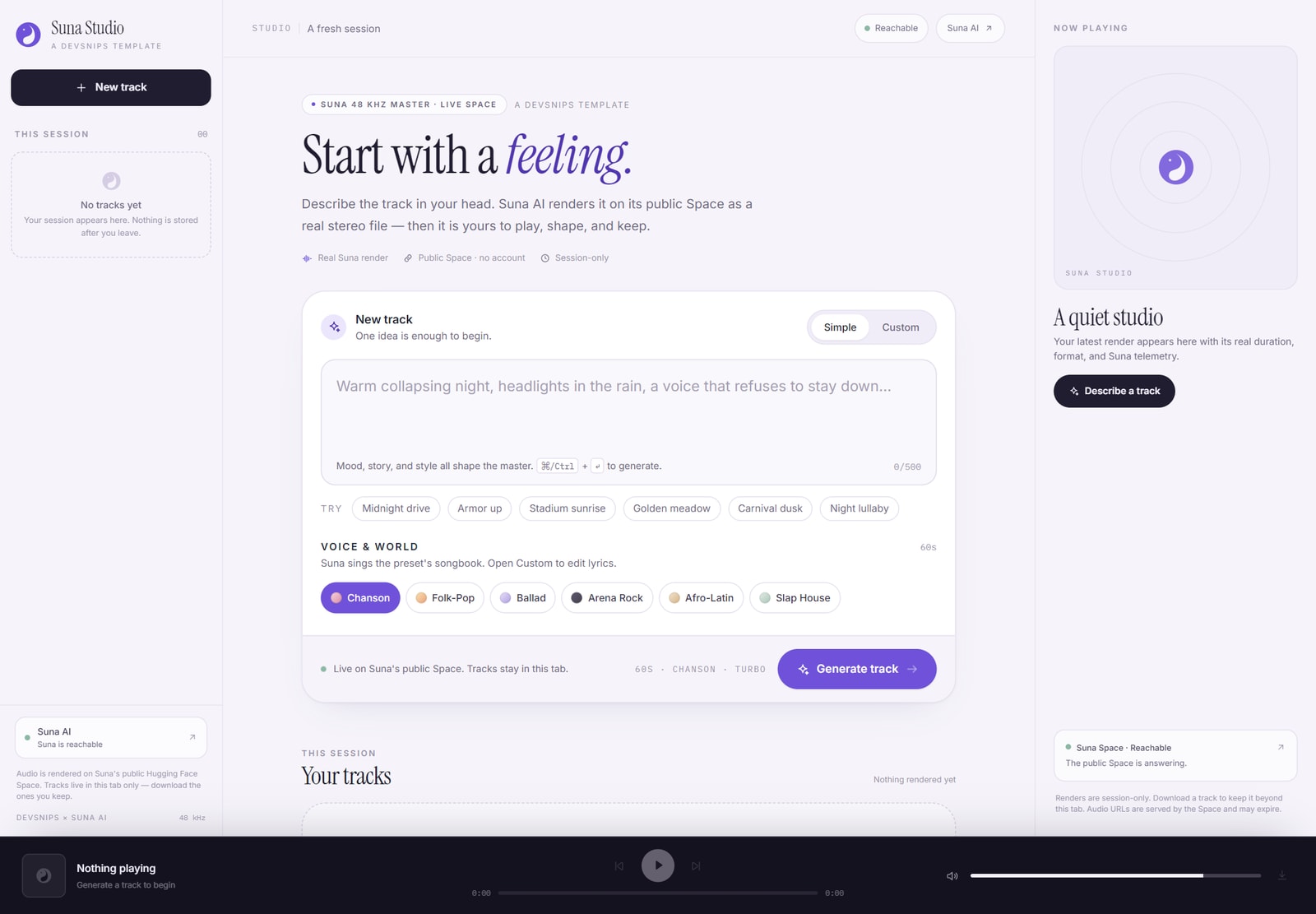
Suna Studio · real React build1440 × 1000
Captured from the bundled appNo mock audio, no fabricated progress
Real renderSuna’s public Space
6 presetsArtist voices + songbooks
24–68sTrack length range
WAV + MP3Master downloads
How it works
From one sentence to a finished take.
The studio keeps the whole loop in one page: write the idea, shape the render, then
listen and keep what works. No timeline, no plugin chain, no blank project file.
01
Describe the track
Write a scene, a mood, a moment. Or start from an artist preset and edit the
songbook before you render.
500-character prompt
Simple / Custom
02
Shape the render
Choose Turbo or High-Fidelity, set a length between 24 and 68 seconds, and
optionally add your own vocal with a band mix.
8 / 16 steps
Vocal upload · 25 MB
03
Keep what you make
Play it in the near-violet player, read the sung lyrics and Suna telemetry, then
download the WAV master or the MP3 fallback.
Session library
48 kHz WAV
There is no fake progress bar. Suna’s queue exposes elapsed time and queue notices,
so that is exactly what the interface shows while a track renders.
Inside the studio
The whole workspace, not a mockup.
Every control below is wired to the template’s real state. The screenshot is the
bundled build, not a design comp.
Composer · session · playerActual build
Prompt-first composer
Simple and Custom modes, idea chips, a real character budget, and ⌘/Ctrl + Enter to submit.
Session library
Tracks stay in the tab. Rename, remove, clear, or copy the prompt that made them.
Spotify-style player
Play, seek, jump 10 seconds, set volume, and expose MediaSession metadata to the OS.
Honest downloads
Prefer the 48 kHz 16-bit WAV master; fall back to the 320 kbps MP3 when that is what Suna returns.
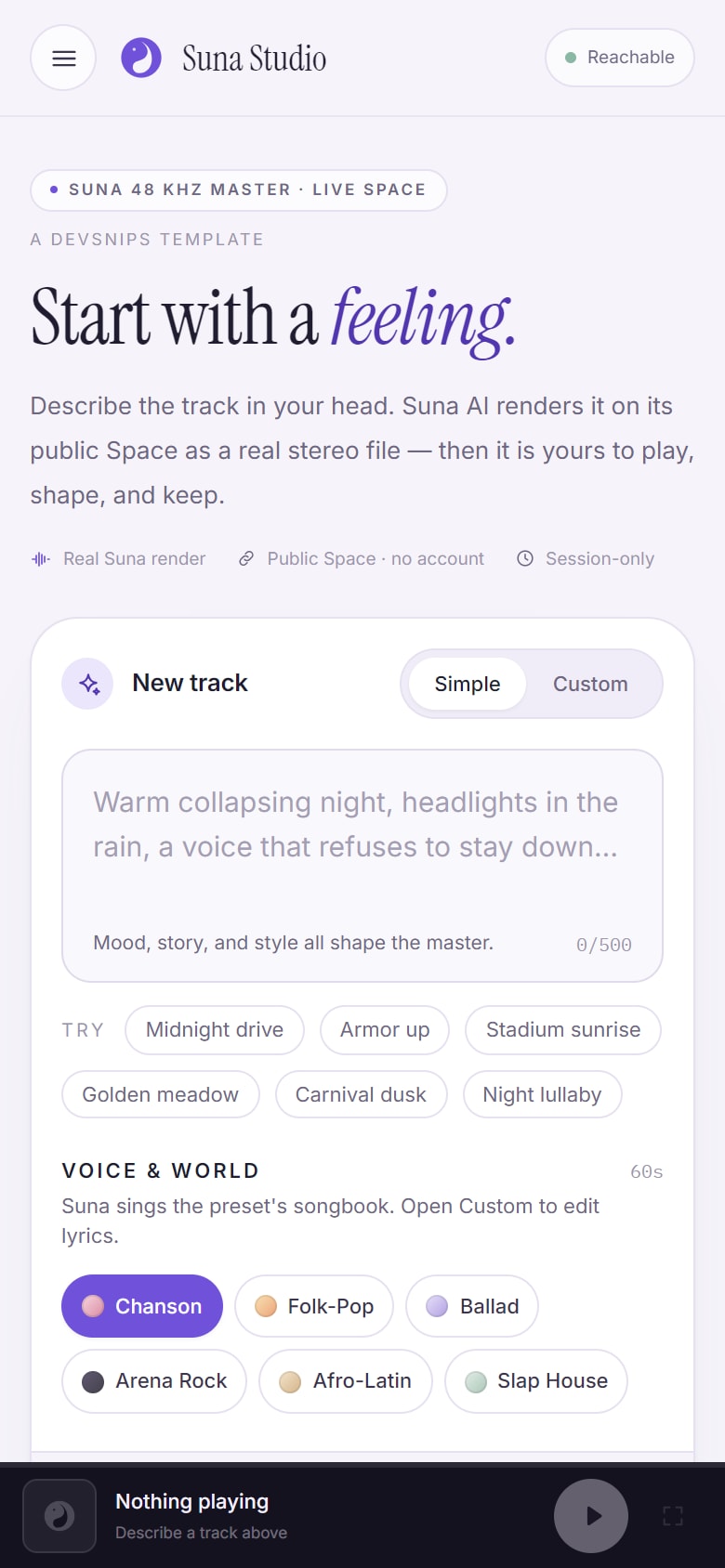
Small screen, same studio
The player fits in a thumb.
On a phone, the session becomes a drawer and the player opens as a full-screen
dialog. Focus stays inside, Escape closes it, and the transport keeps its labels.
Native <dialog> player sheet with a focus trap
Session drawer for renaming and clearing tracks
Reduced-motion support and visible focus rings throughout
Proof, with edges
Verified before it shipped.
A partnership page should be precise about what has been tested and what depends on
someone else’s service. Here is the line.
Tested in this build
Strict typecheck passes with tsc --noEmit.
Production build completes with Vite — 53 modules, no errors.
Desktop and mobile smoke tests: zero console errors and no horizontal overflow at 1440×1000 and 390×844.
Real Gradio contract: availability probe plus /generate_suna_track, not a stubbed response.
Accessibility-minded UI: labeled sliders, status regions, dialog focus handling, and reduced-motion rules.
Checked against the template source at b25ce01c.
Deliberately not claimed
Live generation after Space changes. Suna’s Space is third-party; capacity, quota, and output can change at any time.
A registry install command. The template lives in the DevSnips repo but is not published as an installable registry item yet.
A separate hosted deployment. The preview is a static build of the app served by this site, not a URL we invented.
Universal availability. Anonymous GPU quota can close the queue. The app surfaces Suna’s own message when it does.
If a claim is not on the left, treat it as unverified.
For developers
Run the real thing locally.
The preview here is a production build. If you want to change the studio, clone
the template, install its dependencies, and run Vite.
Requires Node.js. The app calls Suna AI’s public Space directly, so generation is
subject to its anonymous quota.
git clone https://github.com/sarthakbystander/DevSnips.git
cd DevSnips/library/React/Templates/suna-ai-studio
npm install
npm run dev
One template. A real AI music service.
Suna Studio keeps the composer, the render states, and the player in one honest
surface. Open the preview, then take the source wherever you want it to go.
Suna AI is a third-party service available through
its public Hugging Face Space.
DevSnips does not control its uptime, quota, or generated output. Preview build: b25ce01c.